Thursday, June 19, 2008

Quick Pic Fix

I haven't done very many "quick" changes to pics in awhile, and I decided I needed to revamp my profile photo, so I did. This picture was taken on our trip to the Dominican Republic.

I cropped it, greyed it, and just added some fuzzing. I love how something so simple can really make a picture look so very different.

Tuesday, June 3, 2008

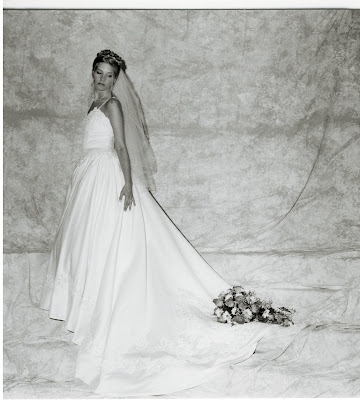
Adding more color

It's been awhile since I've worked on any of my pictures. I have another picture I really liked the look of, but kind of wanted to see it in color. Unfortunetly the scan was not very good quality, and when I look at it close up it is blurred and in general, not as good as if I could just have it printed directly from the film in black and white. So, what I'll probably do for my scrapbook is have the picture below in black and white, and then add a smaller picture, which is in color, to the corner of the page of dad giving me a kiss on the cheek. I think that would be a lovely page, especially since I want to have this picture printed in a 6x6 or maybe larger (as it is square... perhaps I'll just do it as an 8x10 or something).

Here is the original scan. Once again, the quality of a black and white scan is not so great.

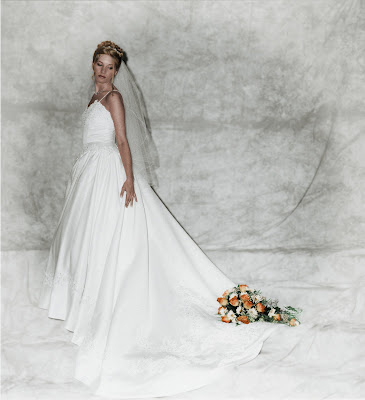
And here I added color using another photo, blurred the background, and added a whiteout blurring effect to the edge of the photo.
Friday, March 7, 2008

Adding Color to B&W

I have one picture I really liked, and it was taken by my photographer in 3 black and white pics. No color. So, I added color using another picture and the "eyedropper" tool. I again added some blurring and whiteout effects.

Picture Perfect

I thought I should make a new spot for my picture modifications. I have been working like crazy to modify some of my wedding pics to make them what I want them to look like, and I thought... hmmm, why not put this on my blog? In one spot? Good idea?

So, I will post a few pictures I've modified, including the one I started with, and the final product. By the way, I use a program called Gimp, which is free at http://www.gimp.org/.

Here are the first two pics I worked on.


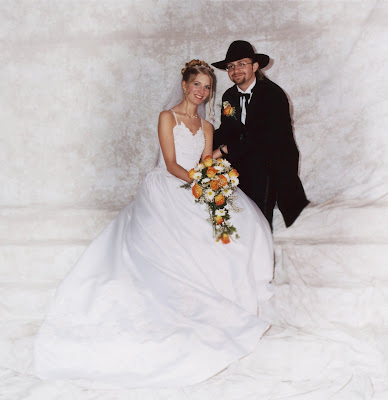
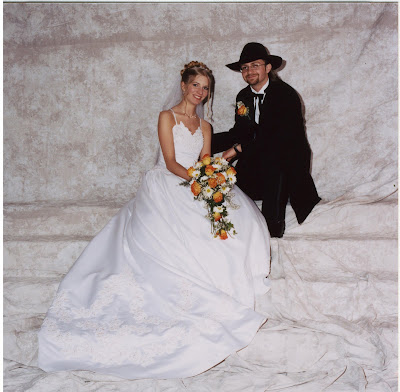
This is the original. I thought it was a nice pic of the two of us, unfortunetly we were too far apart in my opinion... and the pic was a bit dark for my taste.


So here, I brought us closer together, brightened the pic, and added some blurring and whiteout to the edges for interest.


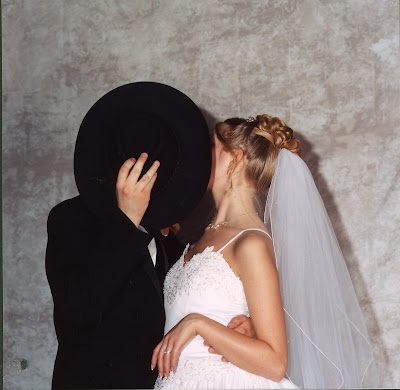
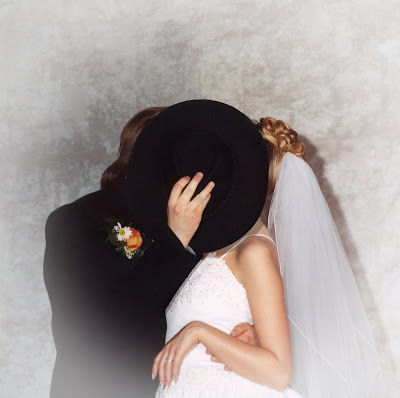
I love this pose idea... but hate the fact that my face is completely exposed (as a photographer you should be able to see this kind of thing and move people into position instead of just "click")


So, seven hours later, I added in Chuck's head from another picture I had of us kissing without the hat, moved his arm, added the flowers, and then also fixed the little imperfections and brightened everything, adding another blurring and whiteout effect.

Overall, I feel these two pics turned out rather lovely after all the work! Hours of it! But, it's worth it. Now to print them out to add to frames, and scrapbooking. :)